Inspiration Dark patterns, the dark side of design Dark patterns are online user experiences that are intentionally designed to trick users into taking unintended actions. These actions rarely benefit the user, but rather serve the owner of the site or app — almost always for financial gain.
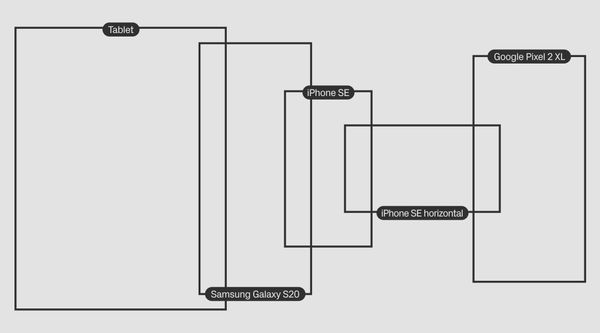
Product Updates Viewport customization for mobile Preview your mobile version as it will appear on a variety of devices and change the width of mobile layouts in the Editor using the Guides menu.
Inspiration Why user-centred design struggles with ethics For decades we’ve been taught that user-centricity is the key to good design. But now the philosophy is showing vulnerabilities. We need approaches that are less narrow, less transactional, and more able to cope with the diverse, systemic challenges the 21st century has in store.
Inspiration Design ethics and relationship-centred practice As designers, we are not set apart from systems of inequality, acting from the outside in. We shape and mold; we create cause and effect. Immy Robinson, an Innovation Lead at British charity Shift Design, speaks on what can be done to generate and multiply power through community relationships.
Inspiration “Purpose-driven design is not profitable”: how leading by example can prove this heading wrong Here are some ideas and tips for those looking to instill design and organisational ethics in their companies.
Inspiration The Ethical Issue The tumult of 2020 transformed the way people live and interact with each other. This encompasses all the common social norms — including patterns of behavior, communications, and attitudes. Now people often speak of the ‘new normal.’
Product Updates A pack of text-related updates: paste without formatting, list styles, and more Welcome text-related updates in Styles and editing, new shortcuts and minor issues fixes.
Design Tips How to create a hamburger menu in Readymag This tutorial will guide you through the process of creating a hamburger menu. We will show you two types of menu animations while highlighting new features — a toggle to hide Opacity animations in Editor, Current link styles, and global widgets in templates.
Product Updates What’s New in Readymag: Group Resize & Sizes Speed up your design workflow in Readymag with pixel-precise adjustments.
Design Tips Boost your Instagram with DIY link hub in bio Since Instagram allows only one active link in bio, brand influencers, marketers, online creatives, and entrepreneurs are always on the search for ways to make content live longer than feed and optimise traffic.
Inspiration E-commerce: recent examples and a manual In this article, we show recent examples of e-commerce projects and guide you through the basics of creating an online store with Readymag.
Design Tips Creating a custom cursor Learn how to design a visually-catching custom cursor with just a few lines of code.